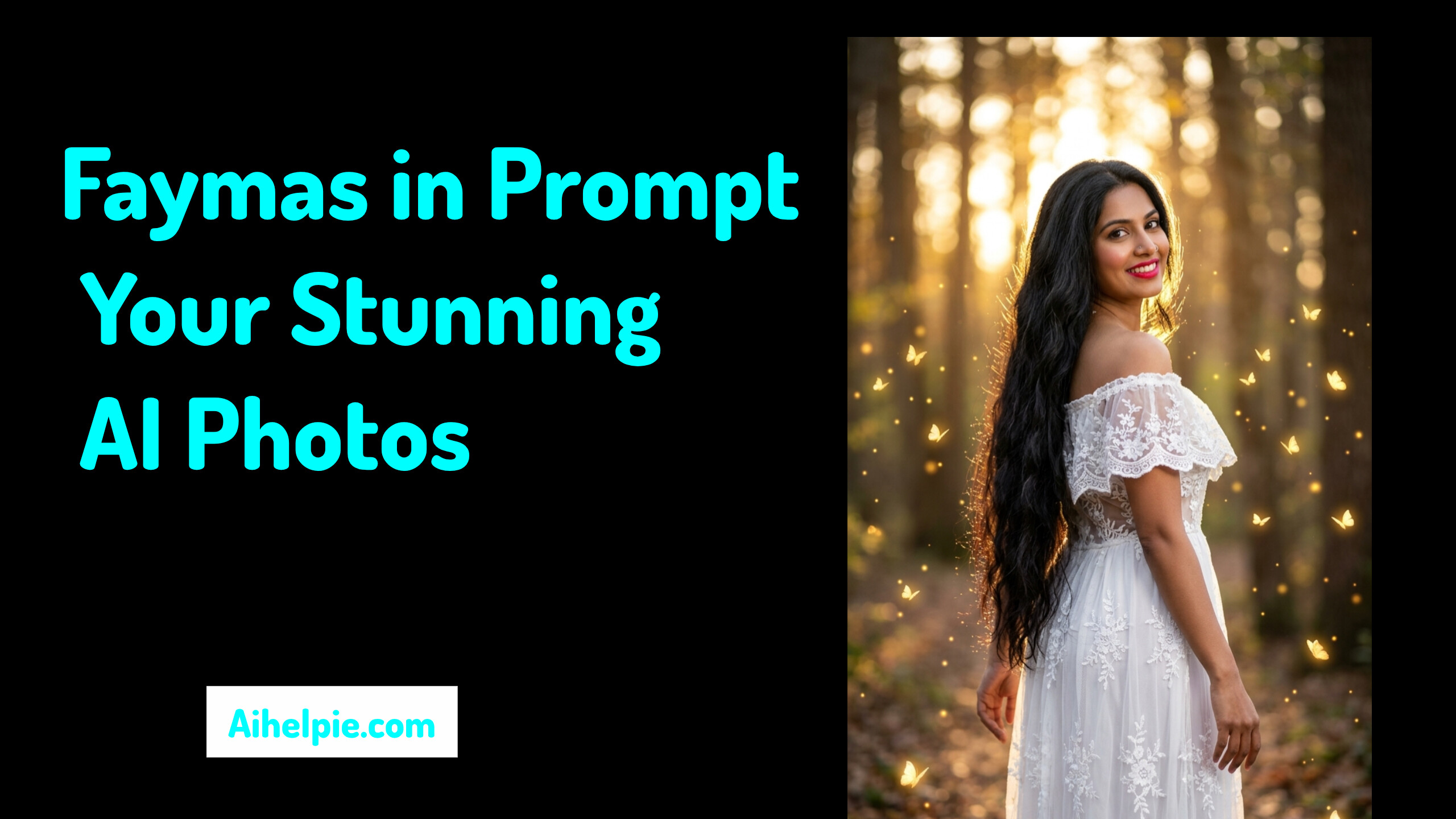
Have you ever stopped scrolling through social media when you saw a photo that looked like it belonged on the cover of a luxury magazine? Just imagine: gorgeous golden lighting, razor-sharp focus, and a cinematic vibe that makes you wonder, “How on earth did they shoot that?” Most of us assume it requires expensive cameras or years of photo-editing experience. But what if we told you the real secret lies in just a few words typed into an AI tool?
Welcome to the exciting world of image creation! Today, we’ll dive deep into how you can transform simple words into captivating visual art using a ‘faymas in prompt‘. Whether you’re a complete beginner or just love experimenting with new creative tools, let’s explore how this smart technology works and why it’s turning everyday people into digital artists.
What Exactly Is a Faymas in Prompt?
Let’s break things down into plain language. An AI image generator is like a very talented artist holding a blank canvas. However, the artist does not know what to draw until you give them instructions. Those instructions are called prompts.
When you use a faymas in prompt, you are giving the AI a specially crafted blueprint. Instead of just saying “draw a photo of a person,” a faymas-style prompt gives precise details about lighting, camera angles, mood, and clothing. It acts like a professional director telling the digital artist exactly how to set up the scene.
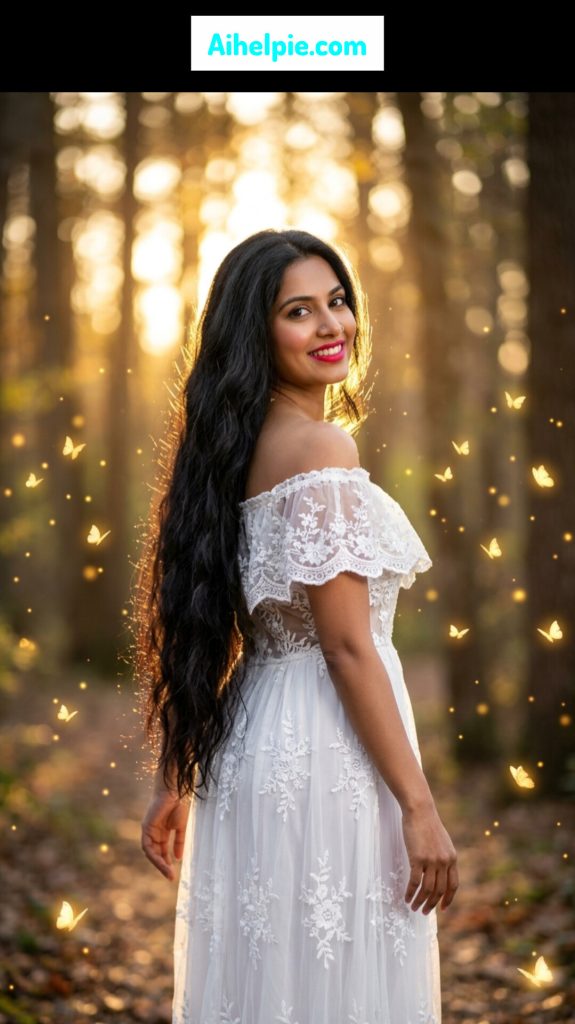
                Faymas Prompt:

"Create an ultra-realistic magical fantasy portrait in 8K resolution with extremely fine details, captured as a cinematic professional DSLR photograph. Feature a beautiful South Asian woman in her early 30s with a medium wheatish complexion and exceptionally long, thick, naturally wavy black hair flowing down to her hips. Her hair catches a soft golden rim light from the setting sun.

She has a bright, cheerful smile, vivid pink-red lipstick, natural-looking makeup, and a small silver nose ring on her left nostril. She is looking directly toward the camera while turning her face back over her right shoulder.

She is dressed in an elegant white off-shoulder lace gown. The upper portion features delicate sheer lace, ruffled off-shoulder detailing, and intricate floral embroidery. The lower part is a long, flowing white mesh skirt decorated with beautiful white floral lace patterns.

Pose her standing in a 3/4 side-facing position within a forest. Her body should face slightly away from the camera while her head turns back over her right shoulder toward the viewer. Keep her hands naturally relaxed beside her body, creating a graceful, dreamy fairy-princess appearance.

Set the scene inside an enchanting forest during golden-hour sunset. Warm sunlight should pass through the trees from behind her, forming a luminous golden halo around her hair and body. Include fallen leaves across the forest floor and a softly blurred, dreamy bokeh background.

Add magical fantasy details throughout the scene: numerous tiny glowing golden butterflies flying around the woman, with at least 15 visible butterflies featuring softly illuminated wings. Include floating warm-golden light particles around her to enhance the enchanted, ethereal atmosphere.

Use dramatic yet soft cinematic lighting with powerful golden backlighting and rim illumination from behind, combined with gentle front-facing fill light. Create a warm, magical glow across the scene while maintaining realistic skin texture and natural details.

Photography specifications: 85mm portrait lens, f/1.8 aperture, very shallow depth of field, crisp focus on the woman's face and the detailed lacework of her dress, with the forest softly blurred behind her.

Overall visual direction: photorealistic magical realism, elegant fairy princess aesthetic, ethereal fantasy atmosphere, dreamy enchanted forest, cinematic photography, natural beauty, luxurious details, realistic textures, extremely high detail."
Did you know that changing just two or three descriptive words in your prompt can switch an image from a quick casual snapshot to a breathtaking studio masterpiece? That is the magic of structured prompting!
Faymas in Prompt Girl: Creating AI Photos of Women
Many creators are interested in faymas in prompt girl ideas for creating stylish AI portraits. A well-written prompt can describe a woman’s outfit, hairstyle, pose, facial expression, environment, lighting, and overall photography style.
Whether you’re creating a fashion portrait, social-media profile image, or cinematic scene, detailed faymas in women prompts can help communicate the desired visual style more clearly.
If you’re searching for a faymas.in prompt or feymas.in prompt, remember that the most important part is not simply copying a phrase. The quality of the final faymas.in photo depends heavily on how clearly you describe the subject, composition, lighting, and visual style.
Why Are AI Image Prompts Becoming So Popular?
Do you ever wonder why everyone is talking about AI photo editing and text-to-image prompts lately? As a fan of fun digital trends, you have probably noticed how fast social media moves. People love visual stories, and high-quality pictures grab attention instantly.
This is also why searches around faymas in AI and faymas AI prompts are becoming useful for people experimenting with AI-generated photography. Instead of starting with complicated editing software, creators can describe the image they want and refine the prompt until the result matches their creative idea.
Here are a few big reasons why creators love using structured prompts:
- Save Time and Energy: You do not need to spend hours learning complex design software. You just type, adjust, and generate!
- Unlock Unlimited Creativity: Imagine wanting a portrait underwater, in outer space, or inside a retro cozy cafe. Prompts let you build any scene you can think of.
- Consistent Quality: By using proven prompt styles, your images keep a clean, professional look every single time.
The Recipe for a Perfect Faymas Prompt
Writing a great faymas prompt is a lot like baking your favorite batch of cookies. If you leave out key ingredients like flour or sugar, the cookies will not turn out right. Similarly, if your prompt is too short, the AI has to guess what you want—and usually, it guesses wrong!
To craft a balanced faymas in prompt, we always want to include five main ingredients:
- The Subject: Who or what is the main focus of the image? (e.g., a young creator, a vintage motorcycle, a playful kitten).
- The Setting: Where is the action taking place? (e.g., a sunlit coffee shop, a misty forest path, a sleek modern studio).
- The Lighting: Light sets the entire mood of a photo! (e.g., soft window light, dramatic neon glow, warm sunset lighting).
- The Clothing and Style: What colors and textures stand out? (e.g., beige tailored blazer, cozy knitted sweater, streetwear). SeaArt AI
- The Camera Details: How is the photo taken? (e.g., close-up portrait, wide-angle lens, shallow depth of field).
Real-Life Example: From Plain Text to Pop Art
Let’s imagine you are trying to make a cool profile picture for your blog or gaming channel.
If you type “a picture of me sitting at a desk,” the AI might give you a plain, boring office picture.
Now, let’s upgrade that using our faymas in prompt method:
“A vibrant personal-brand portrait of a friendly young creator sitting at a wooden desk, soft afternoon sunlight streaming through a window, holding a warm mug, relaxed smile, crisp 50mm camera focus, warm color palette, aesthetic digital creator vibe.”
How to Get Started in 4 Easy Steps
Are you ready to try creating your own visuals? Don’t worry, it is super simple! Here is how you can jump in right now:
- Pick an AI Image Generator: Choose your favorite beginner-friendly tool like Gemini, ChatGPT, or Dreamina.
- Draft Your Core Idea: Write down your basic concept in simple sentences.
- Add Cinematic Details: Mix in lighting cues, background descriptions, and camera angles.
- Refine and Experiment: If the first result isn’t perfect, tweak a word or two! Add words like “soft shadows” or “vivid colors” until you love what you see.
FAQ
Q1. What Is Faymas. in Sed?
A. “faymas. in sed” may be another search variation or a typing variation related to faymas prompts. If you’re looking for AI image prompt ideas, the more useful variations to explore are faymas prompt, faymas in prompt, and faymas AI prompts.
Q2. How to Get Started, change Step 1 slightly?
Pick an AI Image Generator: Choose your favorite beginner-friendly tool like Gemini, ChatGPT, or Dreamina. You can then experiment with faymas.in AI prompts or create your own prompts based on the image you want to generate.
Conclusion
Creating digital photos should always feel like an enjoyable playground for your imagination. By learning how to use a faymas in prompt, you open up a world of visual possibilities right at your fingertips. You don’t need to be a tech genius—just bring your ideas, add a dash of descriptive detail, and let the tools do the heavy lifting! Whether you’re experimenting with a faymas.in photo, creating a profile picture, or designing a cinematic portrait, the process starts with a clear idea and a well-structured prompt.
What kind of portrait or scene are you excited to generate first? Leave a comment down below and share your favorite prompt ideas with us—we would love to hear what you’re creating!