Are you trying to create a lovely, romantic portrait of two people gazing into each other’s eyes, but your AI art generator keeps producing odd results? Achieving perfect eye contact in couple eyes prompt can be frustrating when characters end up staring into thin air or looking away from one another.
In this guide, you will learn how to craft the perfect couple eyes prompt to create stunning, emotive, and realistic romantic artwork every time.
Copy prompt: Step-by-Step Guide to Writing Your Couple Eyes Prompt
1. Authentic iPhone Flash Camera Style
This setup is ideal for generating believable, spontaneous AI snapshots that look as though they were taken on a smartphone and posted straight to an Instagram Story. If you are searching for a trending couple eye contact image prompt that emphasizes realistic skin details, natural mobile flash effects, and close-up framing, this style offers outstanding output. It serves as an excellent option for creators wanting an unedited, natural phone look without any artificial glow.
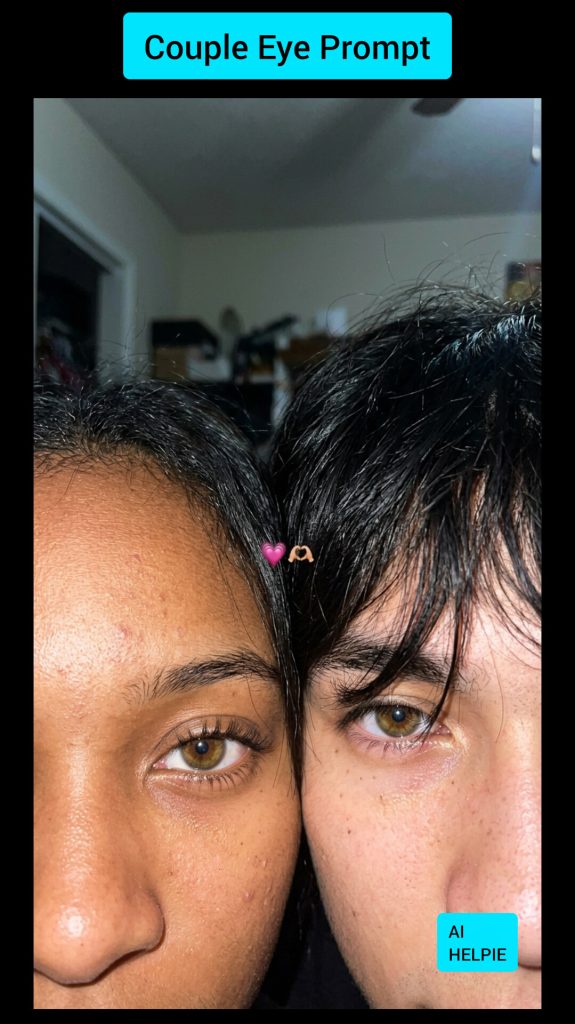
Prompt :
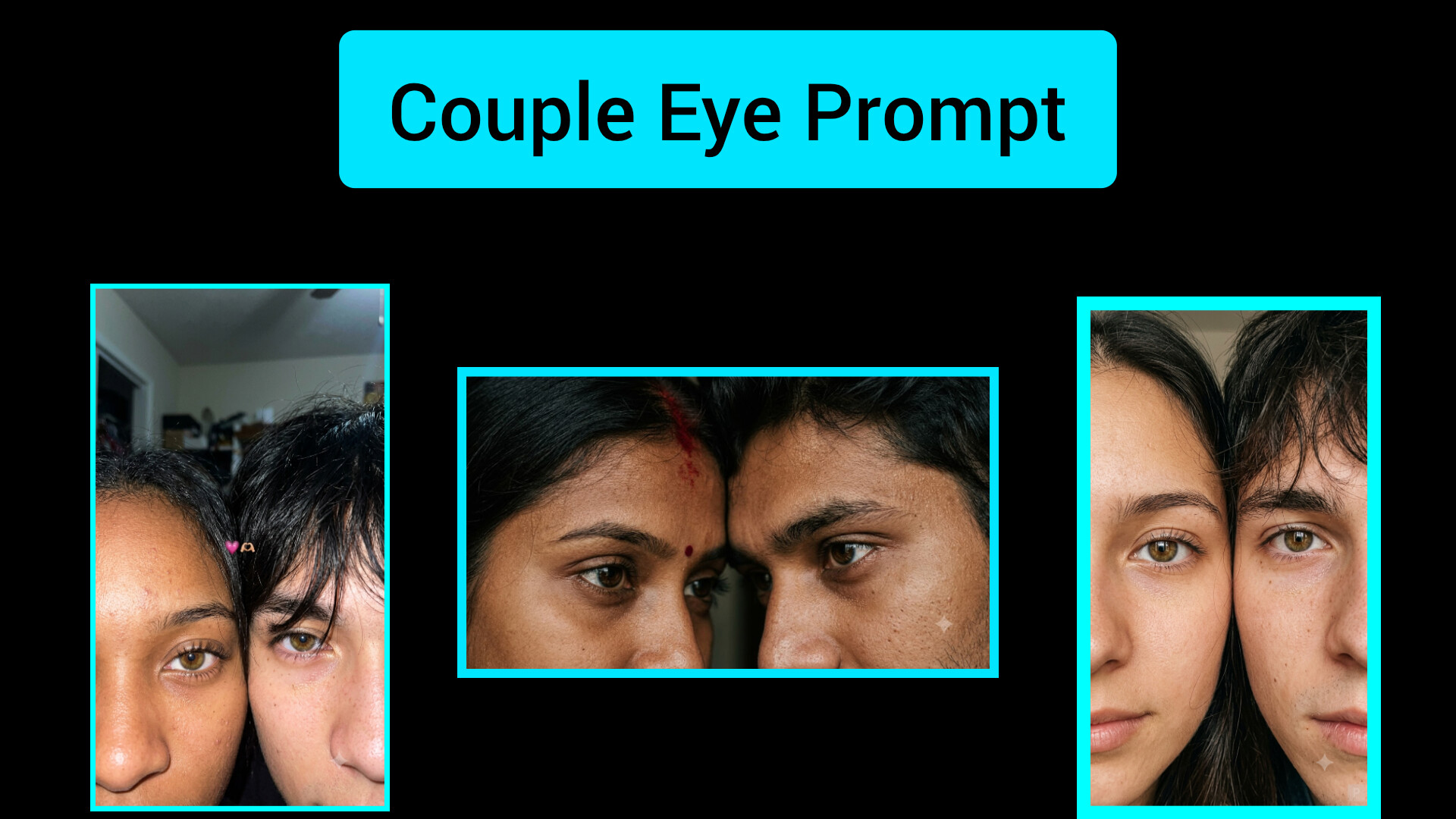
“Must retain 100% accurate facial features from the reference images. Generate a hyper-realistic, candid front-camera flash selfie taken on an iPhone for a social story, appearing completely authentic rather than AI-created. Retain natural facial traits, distinct skin pores, digital camera noise, slight movement blur, off-center framing, and genuine mobile lens quirks. Render a raw, close-up snapshot of two young individuals showing only the top section of their faces, packed closely within the shot to capture an intimate, warm vibe. The left subject reveals a single eye framed by long, delicate lashes, while the right subject features tousled dark bangs gently sweeping over one eye. Features rich hazel-brown eyes reflecting ambient light, detailed epidermal texture with subtle spots, faint blemishes, and minor skin details. Wispy black hair with stray locks resting across the forehead. Dim indoor backdrop illuminated by a sudden phone flash, featuring blown-out highlights, subtle lens softness, mild motion blur, realistic digital artifacts, and authentic mobile HDR processing. Add a small pink heart emoji alongside a hand-heart emoji positioned between their faces. Vertical 3:4 orientation, styled like an unplanned social media post captured late at night. Raw, unrefined, cinematic, zero smoothing filters, no plastic-looking skin, no artificial sharpening—completely identical to an authentic phone photograph.”
2. Deep & Dramatic Eye Contact Portrait
Tailored for emotional, high-contrast photography, this concept captures powerful feelings through intense eye-to-eye connection and moody studio lighting. It is a top recommendation for anyone seeking a romantic couple eye prompt or cinematic AI image guide that yields an elegant, magazine-style finish. The polished arrangement and high-end camera aesthetic make it a popular choice for high-definition digital artwork.
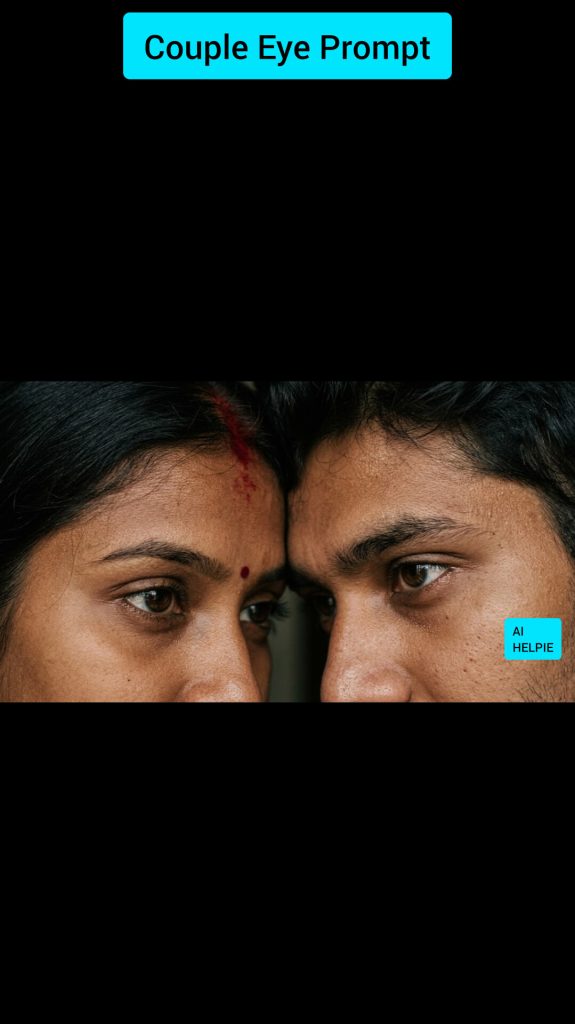
Prompt :
“Hyper-detailed close-up portrait of a young Indian couple, focusing exclusively on their eyes and forehead area, resting face-to-face with foreheads gently touching. Emotional visual connection, dramatic light and shadow contrast, dark minimal background. The female subject wears a small crimson bindi with rich red sindoor brushed lightly across her hair parting, representing deep emotional bond and commitment. Crystal-clear focus on both eyes, intricate skin grain, natural eye brows, soft diffused key light, atmospheric color scheme, shallow field depth, high-end photography style, intimate romantic ambiance, 8K ultra-detailed quality, professional camera rendering, symmetrical composition, extreme realism, high contrast masterpiece.”
3. Cozy Social Media Story Aesthetic
If you favor casual, everyday social content, this framework recreates the look of a late-night smartphone capture featuring ambient flash effects and raw digital imperfections. It functions brilliantly as a prompt for AI image generators to produce believable, low-light portraits for users who prefer relaxed, authentic photo styles over heavily edited shots.
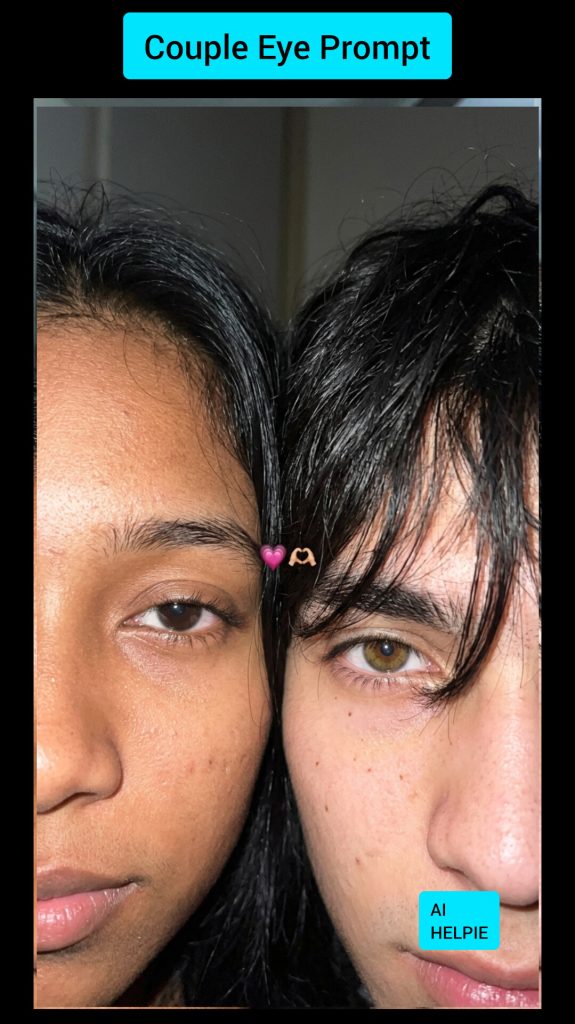
Prompt :
“Use 100% of the reference facial traits provided. Produce a hyper-realistic, candid front-facing phone flash selfie styled precisely like an authentic Instagram Story post, completely free of AI characteristics. Preserve real facial identities, fine skin pores, minor blemishes, digital sensor grain, gentle motion blur, authentic smartphone HDR, and natural focus variations. Feature only the upper half of both faces packed tightly together within the frame. The individual on the left shows one visible eye with natural lashes; the individual on the right has textured dark hair partially veiling one eye. Warm hazel eyes showcasing realistic light reflections, loose black hair strands, minor skin imperfections, and genuine surface texture. Dark indoor setting lit by camera flash, featuring soft blown-out highlights, narrow depth of field, and a cozy evening mood. Include a tiny pink heart emoji and a hand-heart icon centered between them. Vertical 9:16 layout, unedited, cinematic, zero digital smoothing, no artificial skin textures, no over-sharpened edges—indistinguishable from a genuine phone capture.”
4. Balanced Split-Face Close-Up
This configuration generates a perfectly aligned composition where two faces share the frame evenly, bringing complete focus to the eyes through a tidy, professional layout. It is a fantastic choice for creators wanting clear facial details and minimal background noise. Whether you are building custom AI prompts or crafting romantic profile visuals, this style provides an elegant, detailed close-up.
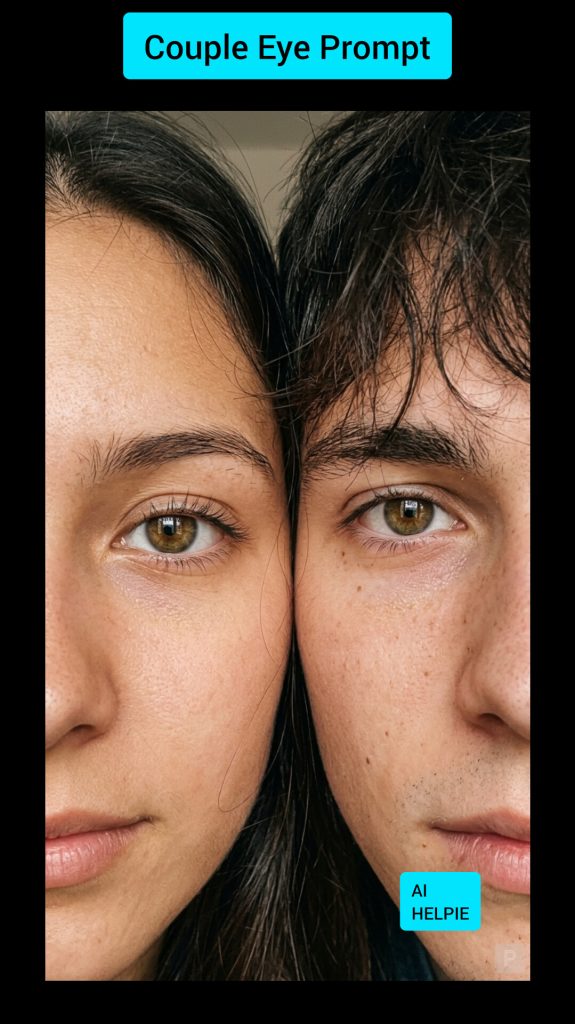
Prompt Template:
“Generate a photorealistic color photograph in a vertical 9:16 format with an extreme close-up view. Show one half of my face alongside one half of my partner’s face pressed closely together, dividing the frame equally down the middle. Place a subtle micro-watermark of the letter ‘P’ in the lower right corner. Both faces sit exceptionally close to the lens in an intimate, tight crop—one eye from each person centered, aligned side by side, and both rendered in sharp focus. The frame is densely filled by their features, leaving virtually no background exposed. Deep focus on the eyes, fine facial skin texture, and soft hair strands. Gentle natural or soft studio lighting highlighting realistic skin detail and warmth. Natural color palette, zero heavy color filters. Ultra-realistic, hyper-detailed, crisp focus, premium 4K camera quality.”
Why Is Getting Eyes Right in AI Art So Hard?
Generating two faces in a single picture is one of the toughest challenges for AI image generators like Midjourney, DALL-E, or Stable Diffusion.
When you ask an AI tool to render two people, it often struggles with directional focus. Instead of the characters connecting visual gaze, one person might look at the camera while the other looks at the wall.
How AI Understands Gaze Direction
AI models generate images by predicting patterns based on millions of training pictures. Because most stock photos feature people looking directly at the camera lens, the AI defaults to that standard pose unless you explicitly instruct it otherwise in your text prompt.
The Problem of Dual Subjects
When an image contains two subjects, the AI must balance two sets of eyes, lighting angles, and facial expressions simultaneously. Without precise keywords, the model gets confused about who should be looking where.
A Relatable Analogy: Driving with a GPS
Think of an AI image generator like a car GPS.
If you enter a vague destination like “the beach,” the GPS will take you to the nearest coastline, but it might not be the exact spot you wanted.
Similarly, if you just type “couple in love,” the AI gives you a general idea. But when you use a detailed couple eyes prompt, you give the AI precise street coordinates—ensuring the two characters gaze directly at each other rather than looking away.
Tips to Fix Glitched or Misaligned Eyes
Even with a great prompt, AI can occasionally generate uneven or blurry eyes. Here is how to fix common issues:
- Use Inpainting Tools: Highlight just the eye area and re-run the prompt with terms like “perfectly aligned eyes” or “detailed iris.”
- Adjust Weighting: If using advanced generators, add weight to terms like
(eye contact:1.3). - Keep the Camera Angle Simple: Profile views (side shots) or three-quarter angles yield the highest success rate for mutual eye contact.
FAQ (Couple eye prompt)
1.What is the best phrase for eye contact in AI art?
Phrases like “locking eyes,” “looking deep into each other’s eyes,” and “mutual gaze” yield the best results across most AI generators.
2.Why do eyes look blurry in my generated couple images?
Blurry eyes usually happen when the camera angle is too far away. Try switching to a “close-up portrait” or “macro shot” framing.
3.Can I use these prompts on mobile AI art apps?
Yes, these prompt structures work across Midjourney, DALL-E 3, Stable Diffusion, and most mobile AI generation apps.
Conclusion
Creating emotional and beautiful romantic art does not have to be a guessing game. By using a targeted couple eyes prompt and focusing on lighting, framing, and clear gaze descriptors, you can consistently generate artwork that captures genuine connection. Try out the sample prompts above in your favorite AI tool today and see the dramatic difference in your results!